Nomi: an AI marketing strategist

Nomi learns a brand from its store's website, then plans and makes its Meta ads. I designed and built it alone, and it's live.

Role
Solo Founder and designer
Status
Live By invite, app.nomigrowth.com
Apps
2 On the web and on the Mac

Why I built it

I tried the AI ad tools myself and couldn’t ship anything they made. They start from a blank prompt and guess the brand again every time. Nomi keeps the brand, so the second ad looks like the first.

  1. Learn the brand

    It reads the store’s site once and keeps what it found: who the brand is for, what it sells, how it looks.

    Setup
  2. Plan

    You ask for work in a conversation. Nomi researches, picks the angles and says what each ad will cost.

    Strategise
  3. Make

    The ads come back in a grid, where you point at a spot to change it, resize it or move it into another market.

    Generate
  4. Ship

    With an ad account connected, Nomi drafts the launch; nothing reaches Meta until you press Deploy.

    Campaigns
  5. Remember

    Results measured from the ad account go back into what Nomi knows about the brand.

    Memory

It starts with your site

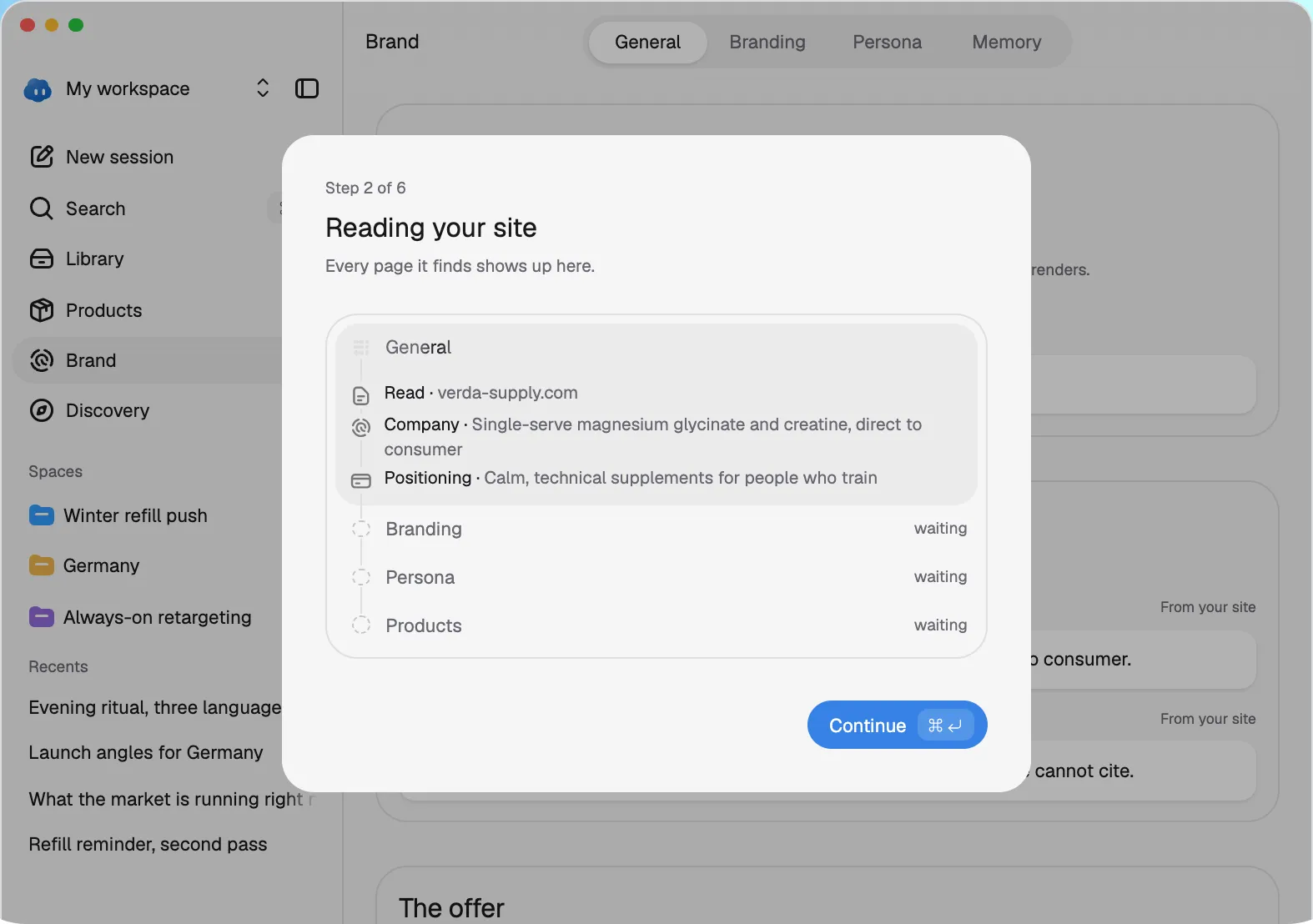
Signing up drops you into a conversation, not a form. Nomi asks one thing at a time (your language, your site, where you already advertise) while it reads the site in the background, which takes about two minutes. What it finds becomes the brand: who it’s for, what it offers, the claims it can make, its palette and type. A brand without a website can describe itself instead.

Nomi's first session asking for your site and starting to read it
It reads your store's site and sets up the brand.
The Brand page with Nomi as the brand: name, positioning and the offer
Brand DNA counts as fact: Nomi never contradicts it and never invents to fill a gap.
The Branding tab with the palette, the type and the Instagram read
The look: colours with their roles, type described in words, what the brand's Instagram shows.

Strategise, then Generate

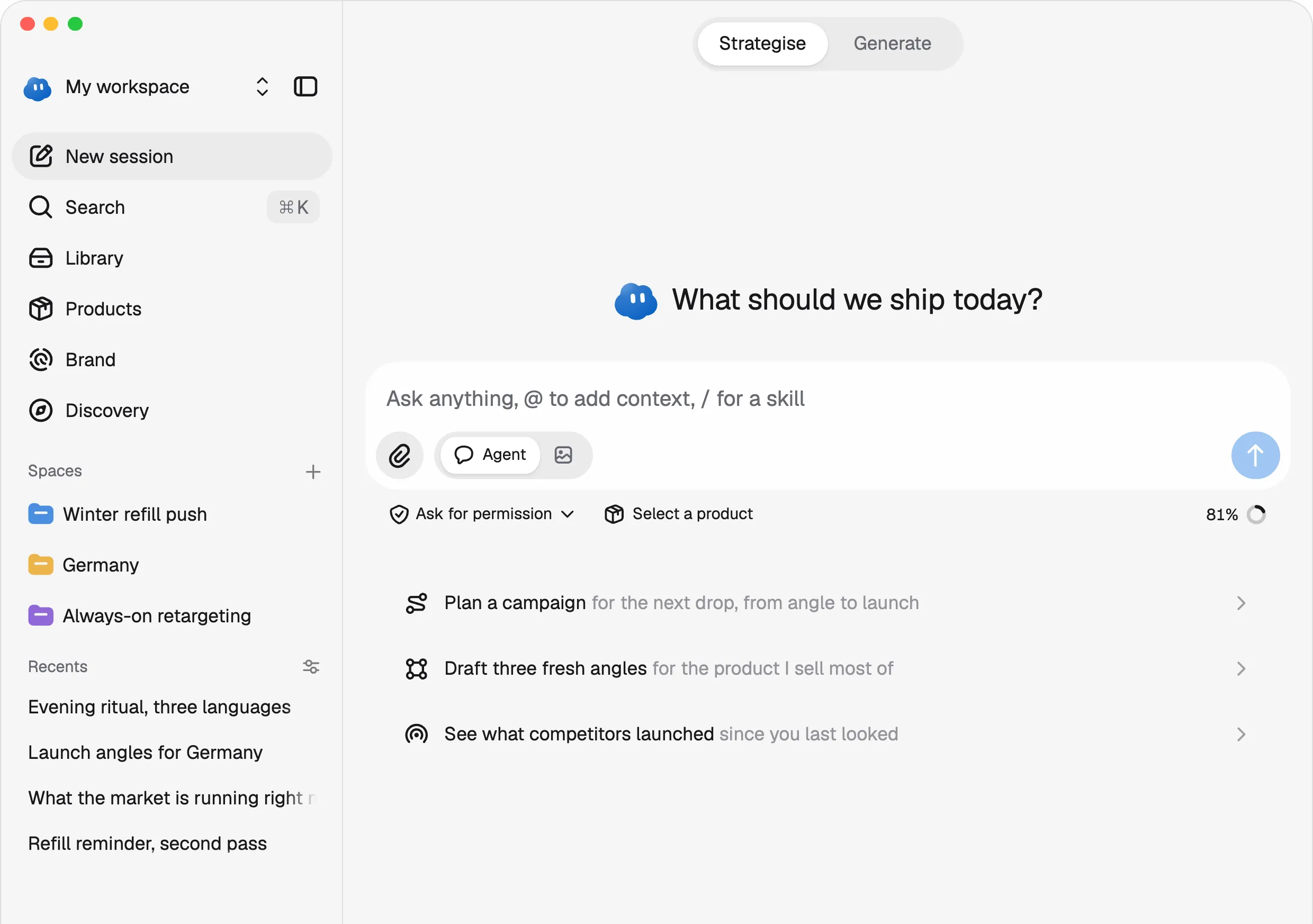
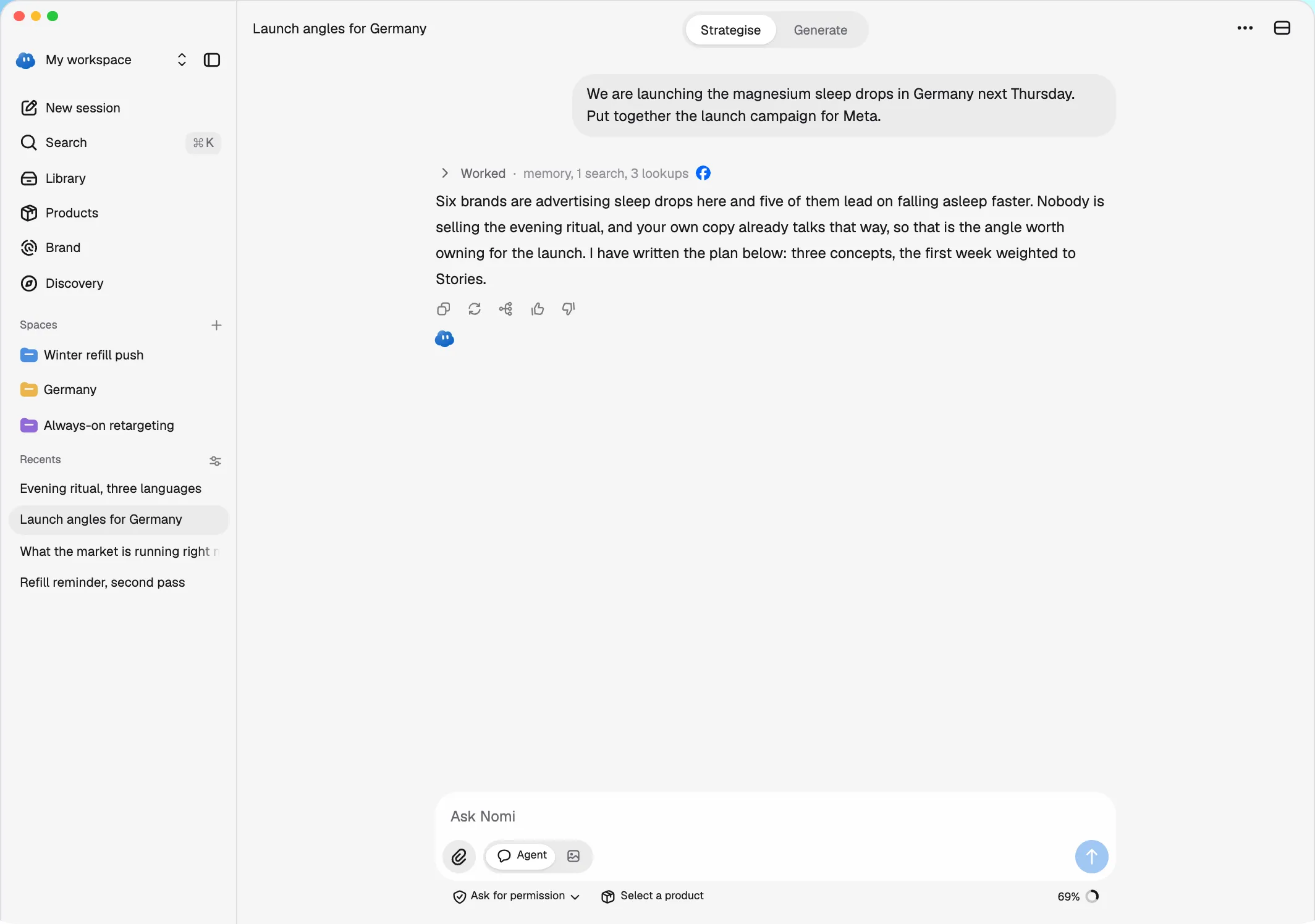
A session has two modes. Strategise is the conversation at full width; Generate splits the screen into the grid of ads and the chat beside it. Nomi writes the picture prompt itself and puts a card in front of you with the angle, the shape, the engine and the price, so nothing is spent until you press Render. Behind a single reply a researcher, a copywriter and a critic can work at once.

A new task: what should Nomi ship today, with a brief typed in
A session starts from one line.
A Nomi session planning two launch ads for the Meta feed
You ask for work in a session. It plans the ads, then draws them.
A render card with the engine menu open, Fast and Quality, and Render or Decline
Before anything is spent: the angle, the engine and what it costs.
Generate: two finished ads in the grid beside the conversation
Generate puts the ads beside the conversation that made them.

Point at it and say what to change

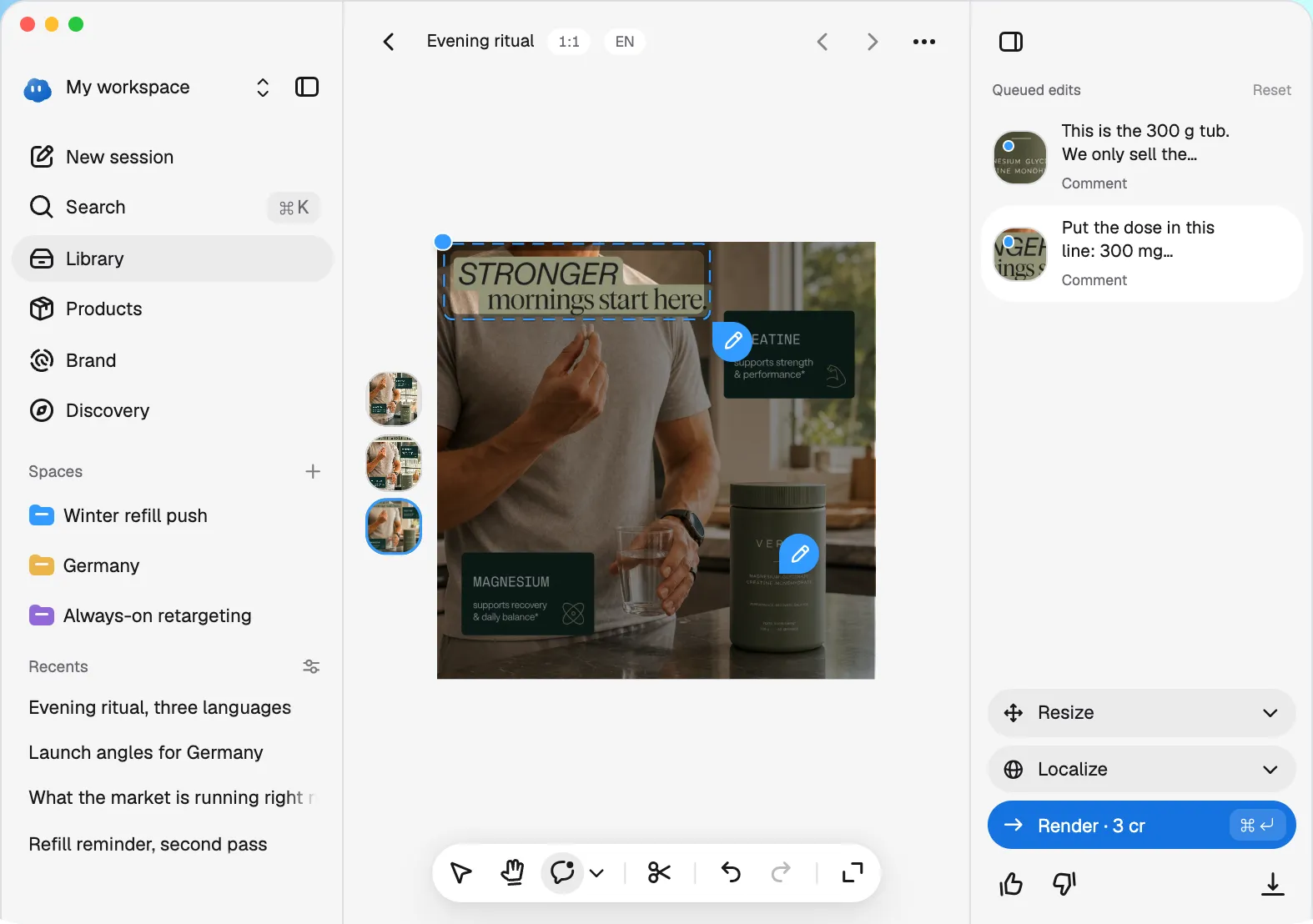
Every ad opens in an editor. Click or ring a spot, say what should change, and only that part is drawn again, for 3 credits. In the grid you can leave notes on several ads and send them all with one press. Resize redraws an ad for any of fourteen shapes, and Localize rewrites it for a market, with that market’s language, price and cleared claims, in any of the 24 official languages of the EU.

The editor: the ad, its tools underneath, Resize, Localize and Render beside it
The editor, with the tools under the ad and the rail beside it.
Two ads Nomi drew, with a note on one: warmer sky, keep the headline
To change an ad, you point at the spot and say what to change.
Localize open in the rail, listing markets and then languages
Localize lists your markets first, then every language Nomi writes in.

One ad, resized for the square, the feed and Stories:

What it made

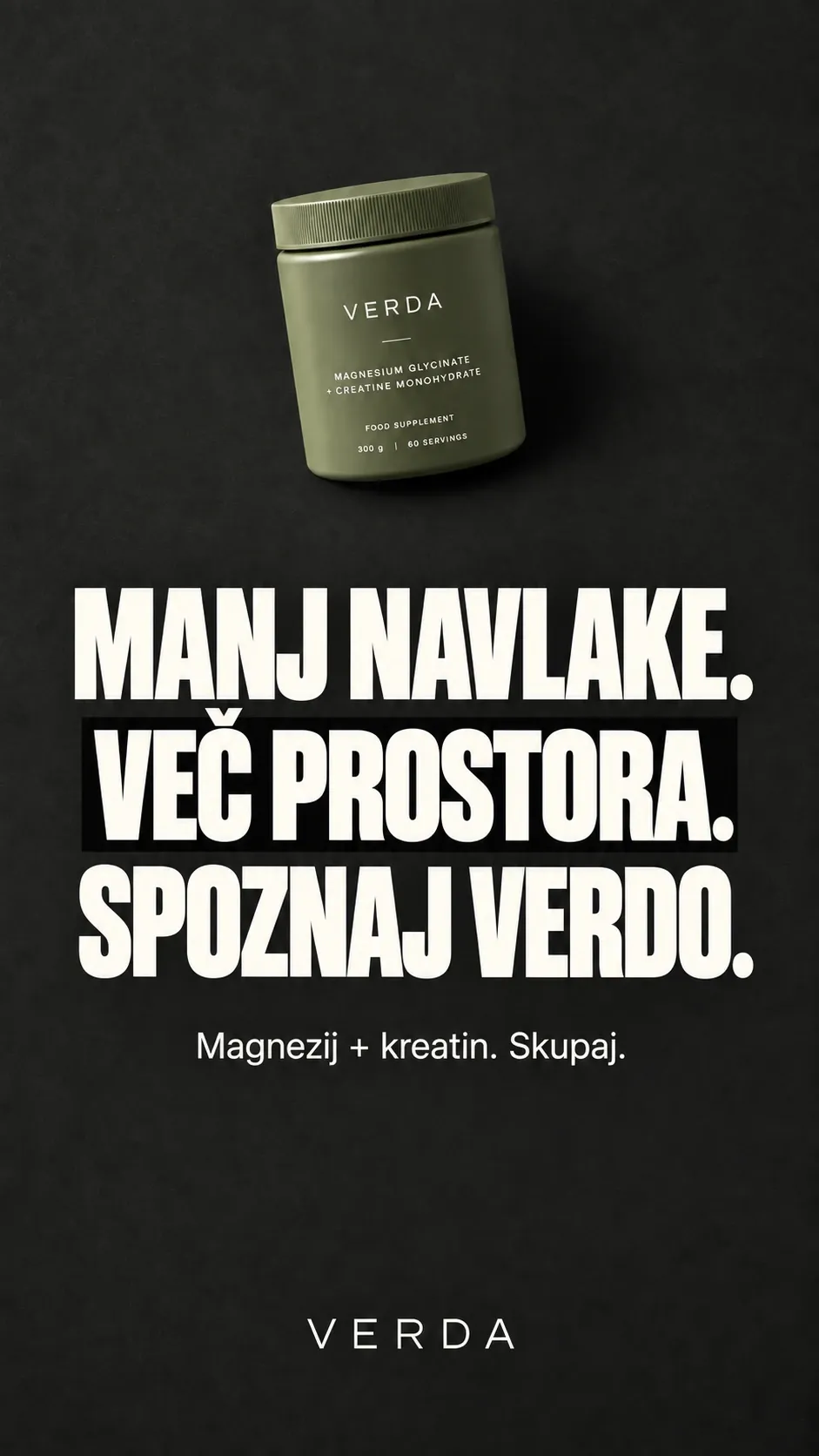
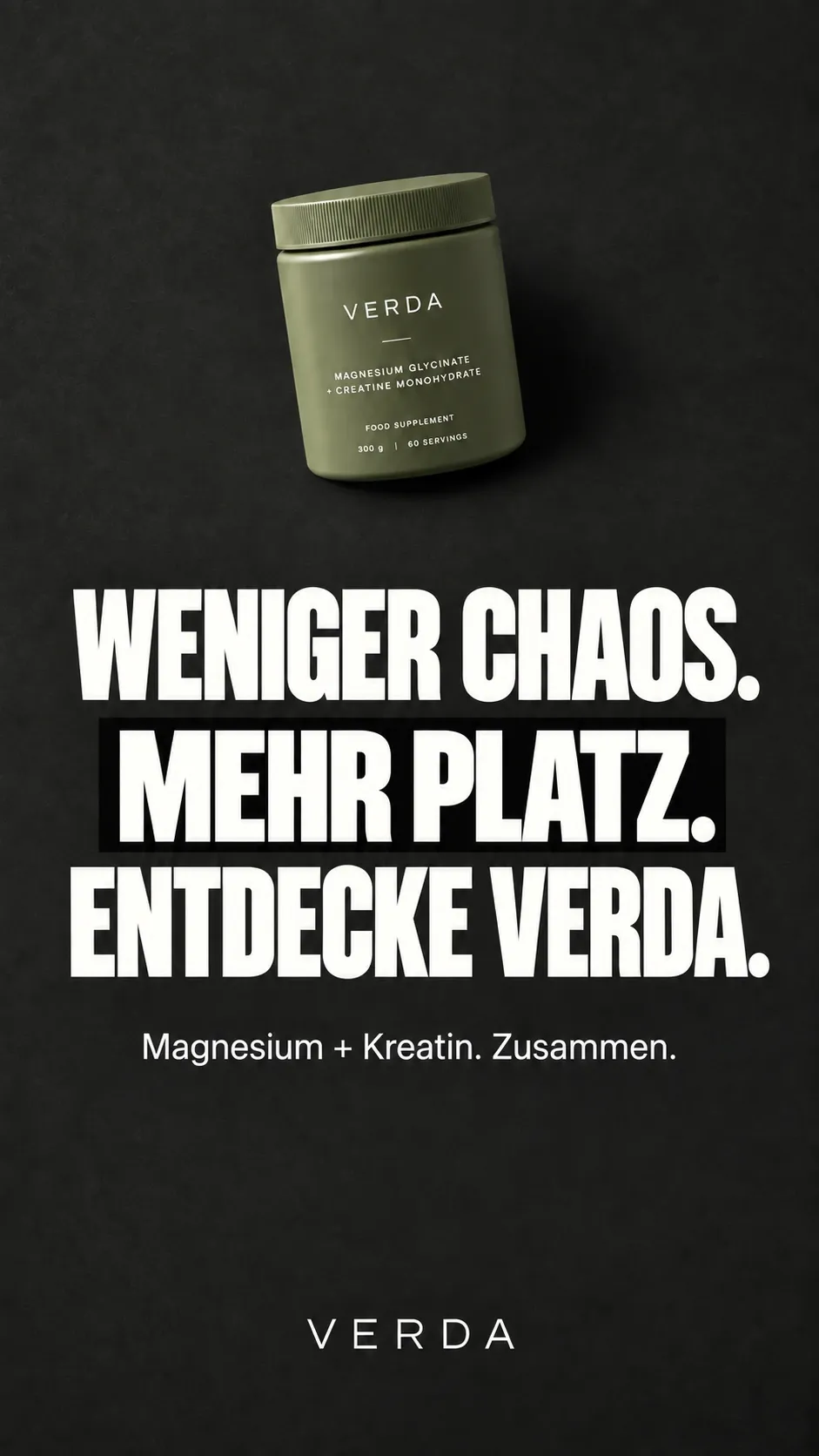
Every ad here came out of Nomi. One brief for Verda, a jar of magnesium and creatine, turned into ten formats, from a shelf that wants space to a glass case marked for overpackers. These are six of them.

One of them then went into thirteen more languages. The layout holds and the headline is written again in each one.

A different brand gets a different look. Kahani’s cold brew, in its own warm light:

What you sell, where you sell it

Paste a product page and Nomi reads it into a product. A market is a country and a language, and a price, an offer or a claim never crosses from one market into another. Ask Nomi to audit a landing page and it opens the page twice, as a phone and as a desktop visitor, then pins every problem to the spot it’s about, worst first.

A product with its markets, images and positioning
A product and its markets, each with its own price and claims.

Radar

Radar shows what other brands are running right now, from Meta’s Ad Library in sixteen countries. Follow a brand and it gets a page of its own: how many ads it has launched, which ones have run the longest, its landing pages and its hooks.

Radar: a grid of other brands' live ads
Other brands' live ads in one grid.
A followed brand's page with ads launched and the longest running ones
A followed brand, with what it launched and what it keeps running.

From the ad account

With a Meta ad account connected, Campaigns shows spend, sales and return down to each ad, and lets you pause, duplicate or change a budget. Nomi can draft a whole launch, one campaign with an ad set per market, but nothing reaches Meta until you press Deploy. Rules run every night on your own numbers and only act within the limits you set. For now Campaigns is open to a few accounts.

Campaigns: spend, sales, return and purchases with daily charts and a campaign table
Spend, sales and return, by campaign, ad set and ad.

Work that repeats

Routines run a prompt on a schedule, and each run opens its own session. Skills write down how a brand wants a kind of work done (the engine, the sizes, the reference) and Nomi follows them when the work matches. Spaces turn a shared session into a room with a brief Nomi rereads on every turn. Whatever is rendered lands in the Library the moment it starts, where it can be searched, filtered and downloaded as a zip.

A new routine: its name, what it says, how often and at what time
A routine: what to ask, how often and when.
The Library with creatives, folders and search
The Library, with every render in one place.

On the Mac

Nomi also runs as a Mac app: the same app in a window of its own, with back, forward, the sidebar and Help in the window’s own bar, Google sign-in through the browser, a badge in the Dock and ads you can drag out as files. It loads the live app, so every release reaches it at once.

What it costs

There are three plans: Essential at €59 a month, Pro at €179 and Ultra at €449, before VAT. Each is a monthly allowance of credits that conversation and rendering both draw from. Every render says its cost before it runs, a failed one refunds itself, and a new account can try Nomi for a week for €1.

The plans page: Essential, Pro and Ultra with their prices and credits
The plans, monthly or yearly.

Takeaways

Keep the brand

The tools I tried guessed the brand again on every prompt. Remembering it is what makes the tenth ad match the first.

Say the price first

Credits only work if they never surprise anyone, so every card says its cost before Render and a failed render refunds itself.

Write it down

Every decision, issue and release lives in the repo next to the code. That written record is what keeps a product this size consistent from one week to the next.